About Tap Quiz
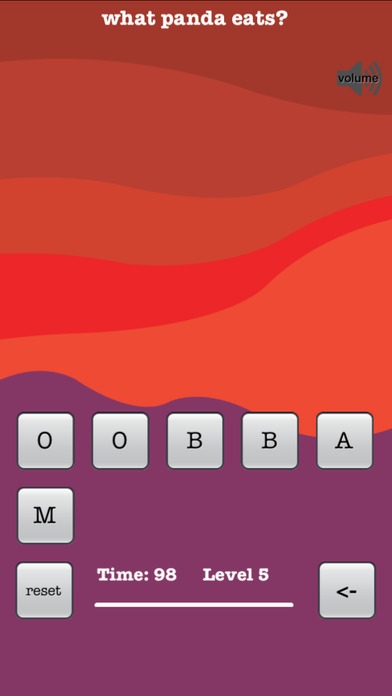
Play Tap Quiz to test your knowledge, practice spelling and word finding skills. Tap Quiz combines several word game genres and it can be played alone or with a room full of people. Type answers using letters on the...
Play Tap Quiz to test your knowledge, practice spelling and word finding skills. Tap Quiz combines several word game genres and it can be played alone or with a room full of people. Type answers using letters on the screen. Share the fun by asking family members and friends for help with the answers or the spelling. As game progresses, questions gradually become more difficult. Please note that all letters on the screen including spaces and punctuation must be used to successfully complete each level. Even if you don't know the answer, you can easily guess it just by combining letters on the screen into words. Spelling and typing practice is integral part of the game. Typewriter style make it look very retro. Accompanying sounds will bring memories to anyone who ever used a typewriter. You have 99 seconds to complete the level or it will reset itself by shuffling all letters and removing any already typed characters for that level. Currently there are over 180 trivia and general knowledge questions. More will be added soon. If you like word games, you will love Tap Quiz's refreshing approach to spelling-typing-word-finding-trivia-question-answering fun. Produced by edin.us (c) edin.us version 1.5
Requires iOS 6.0 or later. Compatible with iPhone, iPad, and iPod touch.
Previous Versions
Here you can find the changelog of Tap Quiz since it was posted on our website on 2016-09-27 19:28:40.
The latest version is 1.5 and it was updated on 2024-04-22 19:21:52. See below the changes in each version.
Tap Quiz version 1.5
Updated At: 2013-11-10
Disclaimer
Official App Store Link
We do not host Tap Quiz on our servers. We did not scan it for viruses, adware, spyware or other type of malware. This app is hosted by Apple and passed their terms and conditions to be listed there. We recommend caution when installing it.
The App Store link for Tap Quiz is provided to you by apps112.com without any warranties, representations or guarantees of any kind, so access it at your own risk.
If you have questions regarding this particular app contact the publisher directly. For questions about the functionalities of apps112.com contact us.